

Docs / Communities / The isolink.app community
The isolink.app community
Isolink runs a community that anyone can choose to join, free. It lets your contacts reach you over the internet when nobody is nearby, holds sealed messages while you're away, and can wake your phone when one arrives. It can't read what you send.
What it is
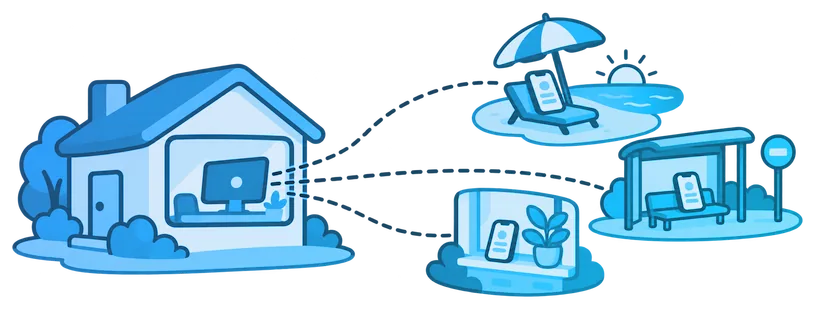
EveryoneIsolink sends messages phone to phone, over Wi-Fi and Bluetooth, when people are near each other. To reach someone who is far away, it needs a community: a server on the internet, run by someone you trust, that passes on end-to-end encrypted data between devices, and holds sealed messages for a device that is offline.
Anyone can run a community of their own, for a household or a team. The isolink.app community is one Isolink runs for everyone, so you can be reached over the internet without running anything. In the app it is called isolink.app. Its address is relay.isolink.app.
New standalone browser accounts join this community during setup. On a phone you can choose nearby messaging, join the official community or use a community you or your contacts run.
Why join
- Contacts can reach you over the internet when nobody is nearby. Isolink still tries Wi-Fi and Bluetooth first, and only uses the community when no nearby route works.
- While your phone is offline, the community holds sealed messages for it for up to 7 days and hands them over when it connects. See Limits for how much it holds.
- On Android, the community wakes Isolink when a message is waiting, so the app doesn't need to keep a connection open in the background. See Saving battery.
- Your contacts don't need to join. Your app tells them which communities reach you, and their app connects to isolink.app as a guest to reach you or leave a sealed message.
- A standalone browser account keeps an encrypted chat backup here by default. On a phone you can choose to keep a backup and protect it with a recovery passkey.
How to join
New standalone browser accounts join automatically. Other accounts can join from the app. Each offer shows only while the community answers and is taking new members, so you never see an offer that won't work. Joining needs no invite. Your account's other devices, such as a linked laptop, follow on their own.
During phone setup
When you set up Isolink, a step called Reach me anywhere asks how messages should find you when nobody is nearby:
- Use isolink.app: messages reach you over the internet, still sealed end to end.
- Only nearby: no server. Messages wait until someone is in range.
On Android, the same step has a Save battery switch. Tap Continue to join. If your account already joined, for example from another device, the step says You're on isolink.app instead, and offers Leave isolink.app.
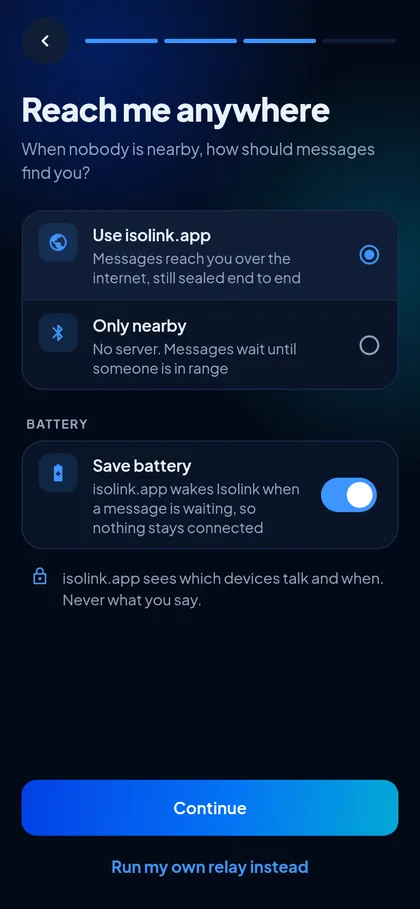
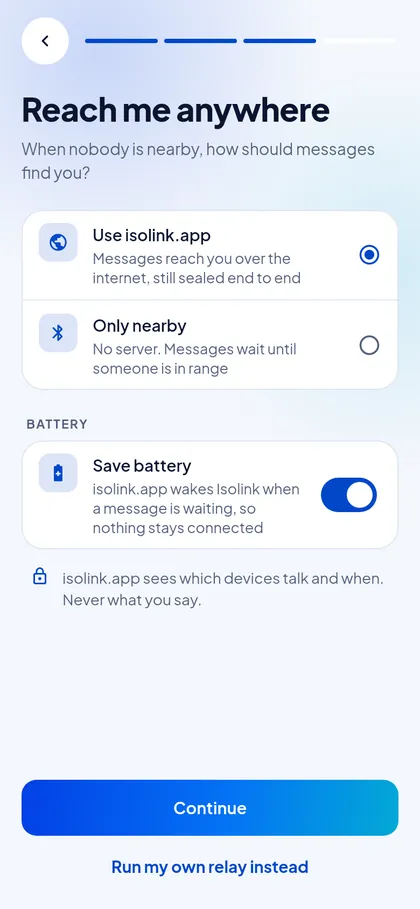
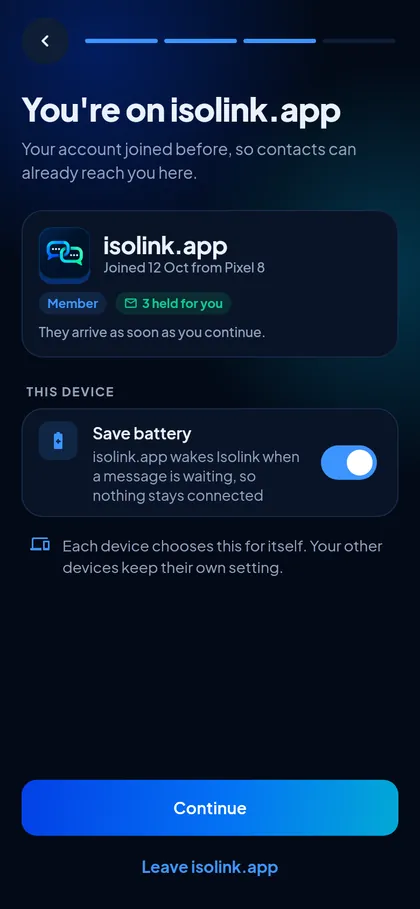
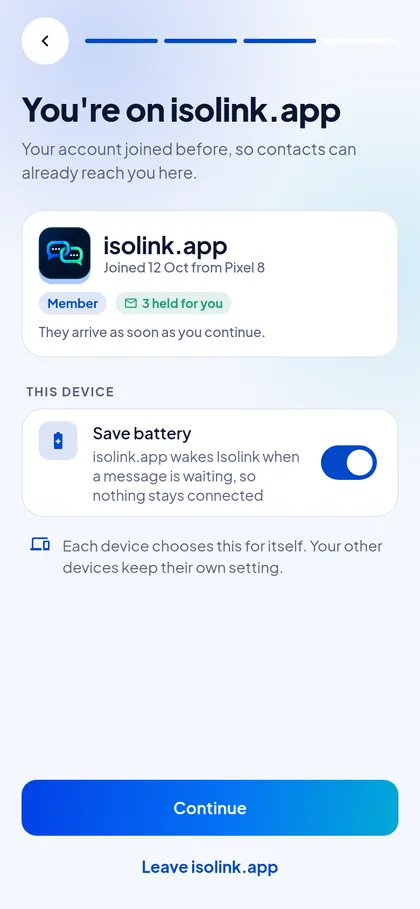
If the community hasn't answered by the time you finish the step before it, setup skips this step. You can join later from the Communities screen.
On the Communities screen
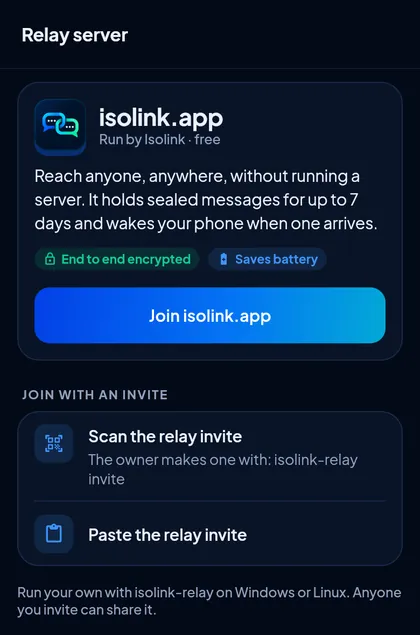
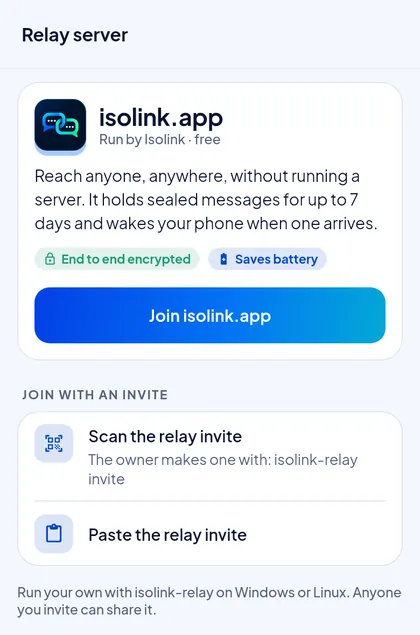
Go to You → Communities. Until you join, the top of the screen shows an isolink.app card: "Run by Isolink · free", what it does, and Join isolink.app. When the community can wake phones, the card says Saves battery. Below it you can still join other communities with an invite.
A card in Chats, once
If you have chats but belong to no community, a card at the top of Chats says New: reach people anywhere. Join joins isolink.app, and Learn more opens the Communities screen. Close it with the × and it doesn't come back. It also goes for good once you join.
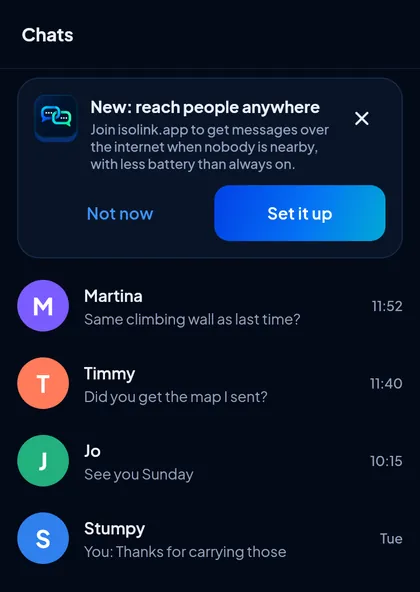
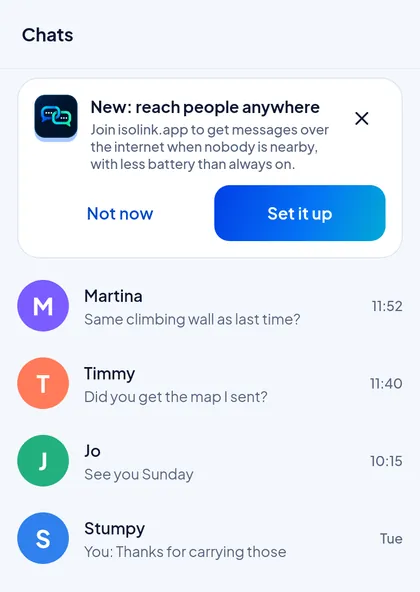
These pictures are design renders. The app's buttons and wording may differ slightly from them.
If joining fails
| The app says | What it means |
|---|---|
| isolink.app isn't taking anyone new right now | Joining is paused. Try again later. |
| Too many people joined from this network lately; try again later | The community takes up to 5 new accounts from one internet address an hour. Shared networks, such as an office or a school, can reach that. |
| Could not reach the community | Your phone has no internet connection, or the community is down. |
Once you've joined
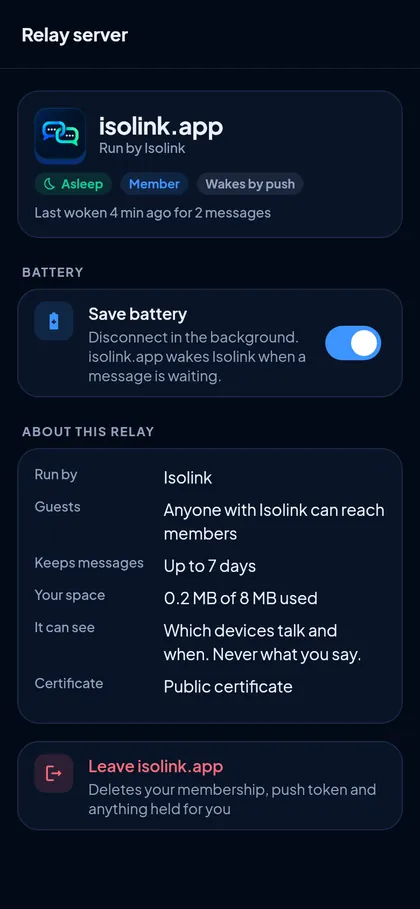
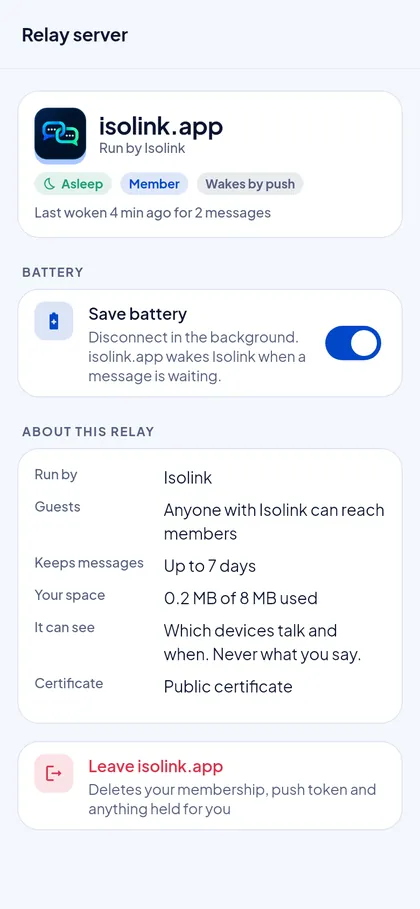
You → Communities shows isolink.app with your role, whether it is connected, and About this community: who runs it, who may be a guest, how long it keeps messages and how much of your space is used.
What it can and can't see
The isolink.app community works like any Isolink community. Everything you send through it is end-to-end encrypted between you and the people you talk to.
It can't see
- What you send: messages, photos, files, voice notes and calls. Each connection carries an end-to-end encrypted link.
- Messages it holds while you're offline. Each is sealed to the device it is for.
- Your chat backup, if you keep one there. It is locked with your passphrase or passkey.
- Your account key, if you turn on account recovery. It is sealed so that only your passkey opens it.
It can see
- Your account's public key, your devices' public keys, the name your app shows, and when each device last connected.
- Your IP address, which devices talk to each other, when, and roughly how much.
- Your push token, on a phone that registers one. It is stored encrypted.
What it doesn't share
- It doesn't announce who joins. There are no "Sam joined" lines.
- How many members it has, and how many are online, are shown to its admins only.
- Nobody can make forums, publish to the card library or theme gallery, or add bots on it.
- It doesn't collect error reports from your app.
Notifications and pushes
Your notifications are made on your phone, from messages it has already decrypted. A push is only how the community tells your phone to connect.
What a push carries
| Push | When | What it carries |
|---|---|---|
| Wake | A message is waiting for your phone. | The word "wake" and the community's host name. Nothing about who it's from, which chat, or what it says. |
| Call | Someone is calling you. | "call" and the community's host name. |
| Message inside the push | Only with Messages in notifications on. | One small message, still sealed end to end, and the community's host name. |
When a wake arrives, Isolink connects, fetches what is waiting, shows your notifications, and disconnects again. If Isolink isn't running at all, Android shows a plain "You have a new message" notification, and opening it starts the app, which fetches the message.
The community sends at most one wake every 30 seconds for each device. In case a push is lost, Isolink also checks a sleeping community every 30 minutes. A call push from another member of isolink.app can wake your phone for a call; the caller then waits up to 25 seconds for it to connect.
Messages in notifications
Off by default. Turn it on under You → Communities → isolink.app → This device. Small messages then arrive inside the push itself, so they show without the phone connecting first. They are still sealed end to end: Google then carries the sealed message and sees its size, never who it's from or what it says. Files and larger messages still come by a wake.
A message that came inside a push stays with the community until your phone next connects and confirms it, or for 24 hours.
On Android and iPhone
- Android: pushes go through Google's Firebase Cloud Messaging. Google sees the push token, the time and that the push came from isolink.app.
- iPhone: Isolink registers with Apple's push service when the community supports it. Apple then shows a plain "New message" or "Incoming call" alert, and opening it starts Isolink, which fetches the message. The Save battery and Messages in notifications switches are on Android only for now.
- Web app and computers: no pushes. They stay connected while open.
Saving battery
Without pushes, Isolink keeps a connection open to every community you belong to, all day. With Save battery on, Isolink disconnects from isolink.app in the background, and the community wakes it when a message is waiting.
- It is on unless you turn it off, on Android phones that can receive pushes.
- Find it in the Reach me anywhere setup step, and under You → Communities → isolink.app → This device.
- While Isolink is on screen, every community stays connected, so messages show at once.
- While asleep, the community shows as Asleep · wakes by push.
- Only the internet connection sleeps. Wi-Fi and Bluetooth links to people nearby work as ever.
- Each device chooses for itself. Your other devices keep their own setting.
Turn it off to keep a direct connection instead. Your phone then needs no push service for this community.
Leaving
Go to You → Communities, then Leave this community under isolink.app. During setup, an account that already joined can tap Leave isolink.app.
- The community deletes your membership, your push tokens, and everything it holds for you, at once. That includes messages waiting for you and a chat backup kept there.
- It leaves for your whole account, on all your devices.
- To keep your local chats when leaving a standalone browser account’s recovery community, join another community first and set up recovery there after leaving. If you leave your only community, the browser asks you to confirm that its local account and chats will be erased.
- Contacts stop reaching you through it. They can still reach you nearby, and through any other community you belong to.
- You can join again at any time. It needs no invite.
When it's down, paused or needs a newer app
Before it offers isolink.app, the app asks the community whether it is taking new members. So:
- Down: the community doesn't answer, and the app offers nothing. If you're already a member, messages wait on the sender's phone, travel nearby when they can, and go through once the community is back.
- Paused: Isolink can stop new members joining for a while. The offers disappear. Members carry on as before.
- Needs a newer app: the community can name the oldest app version it should be offered to. Older apps see no offer until you update Isolink.
- A note: the community can show a short line on the Communities screen's offer, such as planned maintenance.
Inactive accounts
An account none of whose devices has connected to isolink.app for 90 days is removed, with everything the community holds for it, including messages waiting and a backup kept there. If one of your devices connects again later, Isolink joins again by itself while the community is taking new members.
If you keep your chat backup on isolink.app, open Isolink at least once every few months on a device that belongs to it, or keep another copy of your backup.
Limits
These are the limits the isolink.app community starts from. Isolink may change them. About this community in the app shows how long it keeps messages and how much of your space is used now.
| What | Limit |
|---|---|
| How long a message or file is held | Up to 7 days. A sender can ask for less. |
| Messages held for one device | 500 messages, 8 MB |
| One held message, or piece of a file | 256 KB |
| Files held for one device | 64 MB, on top of messages. A file that won't fit is refused whole, and phones carry it instead. |
| A message inside a push | 3000 characters, sealed |
| Chat backup | 32 MB for each account, 3 versions |
| Devices connected at once | 32 for each account |
| New accounts from one internet address | 5 an hour |
| Inactive accounts removed after | 90 days |
Account recovery with a passkey
A chat backup normally holds your chats, not your account. Restored onto a new phone, it lands in a new account: contacts see a new person to verify, and groups need a new invite. With account recovery on, a new phone comes back as you instead.
A standalone browser account sets this up when you save its passkey. To restore the account in a fresh browser, open the web app, choose Sign in and use that passkey. The relay supplies the latest encrypted chat backup.
Turn it on for a phone
- Go to You → Chat backup, turn on Keep a copy online, and protect it with a passkey.
- Under the backup's passkeys, turn on Recover my account with this passkey.
- Confirm, and use the passkey when asked.
It is off unless you choose it, because anyone who holds the passkey could then sign in as you. Keep the passkey safe.
What it seals
Your account key, its history, your name, your account's devices and its communities go up with the backup, sealed under a random recovery key. The recovery key is sealed under your passkey. Isolink and the community can't open either. The account is sealed again with every backup, so a new device or a changed key is in the next one. Passkeys you add later recover it too. Turning recovery off takes the account out of the backup.
Restore on a new phone
- Set up Isolink on the new phone. Skip restoring chats during setup, and don't add contacts yet: only a phone with no chats of its own can recover an account.
- Go to You → Chat backup → Restore from an online backup → Restore with a passkey, and pick the passkey. If the app asks Which community has the backup?, type
relay.isolink.app. - When asked Come back as …?, tap Recover my account. Tap Chats only to bring back just your chats into the new account.
The new phone becomes another device of your account, as if you had linked it. Your contacts and your other devices hear of it, and it rejoins your account's communities. Messages that were waiting for the old phone are lost, because they were sealed to that phone's keys.
The privacy policy has the full details of what the isolink.app community keeps.
For developers
DevelopersGET /v1/status
The server answers GET /v1/status without a sign-in. It says only whether it takes new members, never who is on it.
curl https://relay.isolink.app/v1/status{"v": 1, "joining": true, "push": ["fcm"]}With every optional field present:
{
  "v": 1,
  "joining": true,
  "minApp": "0.15.0",
  "note": "Maintenance on Sunday from 02:00 UTC.",
  "push": ["fcm", "apns"]
}v- Number. The server protocol version, now
1. joining- Boolean.
truewhile the server takes anyone who asks to join.falsewhen joining is by invite or paused. minApp- String, optional. The oldest app version that should be offered the community.
note- String, optional. A short line for the app to show, such as planned maintenance.
push- Array of strings. The push services the server sends through:
fcm,apns, or none.
The response is application/json with cache-control: public, max-age=60 and access-control-allow-origin: *. Any other path but /v1/relay and /healthz gets 404.
How the app uses it
- It asks at most every 10 minutes, and reads at most 8 KB of the answer.
- It offers the community only when the answer arrives,
joiningistrue, and the app's version is at leastminApp. No answer, or an answer it can't read, means no offer. - It shows
noteon the offer in the Communities screen, and the Saves battery label whenpushisn't empty. - Setup asks when it opens. If no answer has come by the end of the step before Reach me anywhere, setup leaves that step out.
Joining by asking
Devices connect to wss://relay.isolink.app/v1/relay like any community server, and prove their account and device keys. To join, a device adds "join": true to its sign-in. The server then makes its account a member with no rights. The app does this on every connection to isolink.app, so an account removed for inactivity joins again when it comes back. A refusal says join closed while joining is paused, or busy past the limit for one address.
The full server protocol, settings and policies are in Your own community server and its Markdown reference.
Running your own
To keep your traffic on hardware you control, run isolink-relay on a home PC or a server for your household or team. Members join with invites, and you choose who may connect. You can belong to your own community and to isolink.app at the same time. See Your own community server.