

Docs / Scripted cards
Scripted cards
A scripted card has its own logic: a counter, a game, a timer, a vote with rules. You write it in a small version of JavaScript, and every phone in the chat runs it the same way.
What scripts do
EveryoneBlock cards ask questions. Scripted cards can do anything you can describe with buttons and rules: keep a score, take turns, count down to a time, shuffle names, split a bill, or let people draw on a shared canvas. Card Studio's templates include a live poll, a task board, Connect Four, memory match, a maths race, a reaction test, tic-tac-toe, dice, rock paper scissors, a scoreboard, turn order, split the bill, a timer, a countdown, the weather, and a flick ball you throw around a canvas.
To make one, go to You → My cards → + and pick a scripted template or Blank scripted card. Card Studio lists the card's parts down the side (on a phone, in a row above the code): its settings, Start, its views, its actions and what it does when away. Add makes a new view, action, helper or part. The editor suggests as you type, shows what the call you're in takes, and marks problems on their line, most with a one-tap fix. Put the cursor in a part, like button(…), and its properties can be changed without typing. On a tablet, Split keeps the preview beside the code; elsewhere a small preview floats over it, and Try it opens it full size. Try it as switches between three people (and the card's bots), so you can play both sides of a game. The count of problems in the top bar says what to fix before you can save.
Before a scripted card runs on your phone, it may ask to do a few things, such as play sounds or show people's profile pictures. You choose Allow or Not now, and you're asked again if its code changes. A scripted card runs in a sandbox: it can't read your messages, contacts, files or location, and stops when you leave the chat. It can use the camera, the microphone, where you are or a contact only through buttons that open Isolink's own screens, and nothing is sent until you press Send.
Quick start
DevelopersA script has three parts: init() returns the starting state, actions on the global on object change it, and view() says what the card shows.
// One number everyone in the chat shares.
function init() {
  return { count: 0 };
}

on.add = (state, args) => {
  state.count += args.by;
};

on.reset = (state) => {
  state.count = 0;
};

function view(state) {
  return column([
    text(String(state.count), { size: 'huge', bold: true, align: 'center', tone: 'accent' }),
    row([
      button('−1', 'add', { by: -1 }),
      button('+1', 'add', { by: 1 }, { tone: 'accent' }),
      button('Reset', 'reset', null, { tone: 'muted' }),
    ], { align: 'center' }),
  ], { align: 'center' });
}
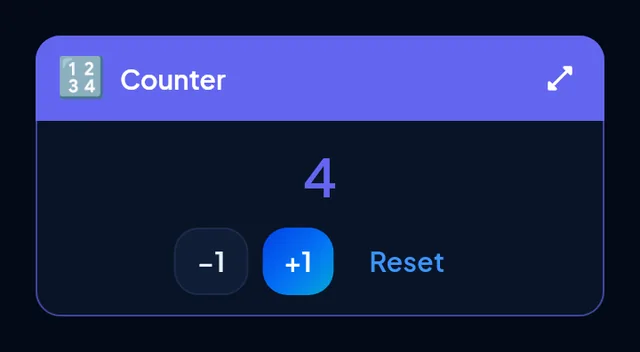
Tapping +1 runs on.add with the button's args, { by: 1 }. The action changes the state in place. Every phone in the chat runs the same tap and draws the same 4.
To put a script in a card, give the card JSON a script field (see the card format):
{
  "v": 1,
  "id": "counter-1",
  "title": "Counter",
  "emoji": "🔢",
  "blocks": [{ "id": "_fb", "k": "text", "t": "Update Isolink to use this card." }],
  "script": "function init() {\n  return { count: 0 };\n}\n\non.add = (state, args) => {\n  state.count += args.by;\n};\n\nfunction view(state) {\n  return column([\n    text(String(state.count), { size: 'huge', align: 'center' }),\n    button('+1', 'add', { by: 1 }, { tone: 'accent' }),\n  ]);\n}\n"
}
The shape Card Studio uses
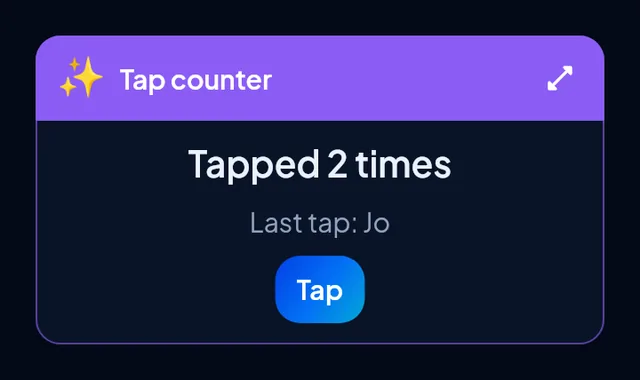
Card Studio saves a script only when it has a card({...}) manifest and all four functions below, each written with these exact first lines. The bodies may be empty. Cards made elsewhere only need view.
card({
  name: 'Tap counter',
  permissions: [],
});

on.tap = (state, args, ctx) => {
  state.taps += 1;
  state.last = ctx.authorName;
};

function init(ctx) {
  return { taps: 0, last: '' };
}

function view(state, me, now, local) {
  return column([
    text('Tapped ' + state.taps + ' times', { size: 'large', bold: true, align: 'center' }),
    state.last ? text('Last tap: ' + state.last, { tone: 'muted', align: 'center' }) : null,
    button('Tap', 'tap', null, { tone: 'accent', align: 'center' }),
  ]);
}

function pause(local, ctx) {
  // Runs on this phone when the card leaves the screen.
}

function resume(local, ctx) {
  // Runs on this phone when it comes back.
}
How a card runs
Developers- Taps are events. A tap runs the action on the tapper's phone first. If the action throws, the tapper sees the message and nothing is sent. Otherwise the event (the action, its args, who, when) goes to everyone in the chat.
- Every phone replays every event in the same order: by time, then author, then event id. Starting from
init(), they all reach the same state. A card keeps its first 1,000 events. - Be deterministic. Use
ctx.random()andctx.time, which are the same on every phone for a given tap.Math.random()andDate.now()give the same values. Nothing else can differ between phones. - State is JSON: objects, arrays, strings, numbers, booleans and
null, at most 64 KB. Numbers are doubles; whole numbers come out as integers. - Fresh globals each run. The top level runs again before every call, so keep it cheap. Only the state carries over between taps.
- Functions are hoisted. A
functioncan be called before it is written, and from actions:on.reset = () => init();works. - Old taps are not undone. If an action fails on another phone's replay, that event is skipped there.
card(): the manifest
DevelopersA script may call card({...}) once, at the top level. It says what the card is and what it may use. A card without one runs with no permissions. A card with one may use only what it names, and each person allows that before it runs.
card({
  name: 'Lane race',                     // 1 to 60 characters
  icon: 'run',                           // an icon name, or 'asset:id'
  mode: 'lanes',                         // 'shared' (default) or 'lanes'
  players: { min: 2, max: 6 },           // whole numbers, 1 to 16
  match: { bestOf: 3 },                  // an odd number, 1 to 99
  permissions: ['keyboard', 'sound'],    // at most 20
  keys: { ArrowRight: 'step', Space: 'step' },
  sounds: ['win'],
  bots: { judge: { grants: ['card.read'], model: 'low' } },
  private: { guess: 'judge' },
  nav: { each: true, who: 'anyone' },
});| Key | What it does |
|---|---|
name | The card's name, 1 to 60 characters. |
icon | What My cards, the templates and a community's card library show for the card. See Icons. |
mode | 'shared': everyone changes one state. 'lanes': each player has a lane of their own. See Lanes. |
permissions | A list of at most 20: 'sound', 'keyboard', 'pictures' (profile pictures and covers of people in the chat), 'chat_images' (pictures sent in the chat), 'files' (asking for a file), 'camera' (camera(), scan()), 'microphone' (record()), 'location' (place()), 'contacts' (contact()), 'remind' (remind()), 'motion' (me.tilt), 'memory' (ctx.remember, me.memory), 'web:host.com' (a site for ctx.fetch and link(); subdomains count) and 'bot:name' (a community action for ctx.bot). 'location', 'contacts' and 'memory' can't go with any web: or bot:: a card with both loses them. |
keys | Key to action, at most 40. Needs 'keyboard'. See Sounds and keys. |
sounds | Names of the card's own sounds, at most 24: small letters, digits, _ or -. Needs 'sound'. |
players | { min, max }, 1 to 16. In lanes mode, a new player past max is turned down: The game is full. |
match | { bestOf }: rounds in a match. ctx.endRound(winner) counts them. |
bots | Up to 4 bot slots, each { grants: [...], model }; model is the slot's level, 'low' to 'xhigh'. Slot names: a small letter, then up to 23 small letters, digits or _. See Bot slots. |
private | Action name to a bot slot. That action goes to the bot alone, never to the chat. The slot needs 'card.private'. |
nav | { each, who } for screens. See Screens. |
Anything wrong in card() is left out, so the card never gets more than it asked for, and the problem is listed, such as keys need 'keyboard' in permissions.
Icons
A card's icon sits on its colour wherever cards are listed. It is one of two kinds:
- An icon name, like
icon: 'dice': one of the app's own icons, in white on the card's colour. Card Studio's Reference lists every name. - A picture, like
icon: 'asset:logo', for a service that wants its own logo.logois a picture the card carries. It must be a square PNG, 48 to 256 pixels a side (128 looks sharp everywhere), at most 32 KB, and embedded in the card. A picture from the web can't be an icon, so looking through a library never reaches anyone's site.
If the icon can't be shown, the card shows its emoji instead, and then the plain card icon. Card Studio says what's wrong with a picture before it saves.
Actions and ctx
DevelopersAn action is a function on on: on.name = (state, args, ctx) => { ... }. Names start with a letter, _ or $, followed by up to 63 letters, digits, _, $ or -. The action changes state in place, or returns a new state. Returning nothing keeps the state as the action left it.
To turn a tap down, throw a message: throw 'Not your turn' or throw new Error('Not your turn'). The person who tapped sees it, and nothing is sent.
init(ctx) returns the starting state. Without it, or when it returns nothing, the state is {} (with lanes: {} in lanes mode). In init, ctx.author is the card's sender and ctx.time when it was sent; ctx.fetch answers fetch works only in actions.
| In an action | What it is |
|---|---|
ctx.author | The account id of who tapped. |
ctx.sender | The account id of who sent the card. Also in init. |
ctx.authorName | Their name, as their phone sent it (at most 64 characters). |
ctx.time | When they tapped, in milliseconds since 1970. |
ctx.random() | A number from 0 to 1, the same on every phone for this tap. |
ctx.params | The card's params (p), read-only. |
ctx.slot | The bot slot of whoever tapped, or null for a person. |
ctx.fetch(url, options) | A web request. See Web requests. |
ctx.bot(name, args) | Runs a community action. See Web requests. |
ctx.sound(name, { volume, for }) | Plays a sound. See Sounds. |
ctx.buzz(kind, { for }) | Buzzes the phone. See Buzzes. |
ctx.remember(key, value) | Keeps a value on the tapper's devices, in every chat. See Memory. |
ctx.push(screen, who?), ctx.pop(who?), ctx.go(screen?, who?) | Moves between screens. See Screens. |
ctx.lane, ctx.laneOf(id) | Lanes mode: the tapper's lane, and any player's. See Lanes. |
ctx.endRound(winner) | Ends a round of a match. See Matches. |
ctx.can(grant) | Whether whoever tapped holds a bot grant, like 'card.rounds'. |
ctx.hint(player, words) | Bots with card.hint: sets state.hints[player], up to 280 characters. |
ctx.removePlayer(id) | Bots with card.moderate: removes a player's lane. |
ctx.act(action, args) | Only in pause(). See Pause and resume. |
A tap's args are any JSON, at most 4 KB.
view() and me
Developersview(state, me, now, local) returns what the card shows, built from parts. It runs often, so it has a smaller budget than actions. There is no ctx in a view. Returning nothing draws nothing, and the card says it has nothing to show.
state- The shared state after every event.
me.id,me.name- The person looking at the card on this phone.
me.sender,me.isSender- Who sent the card, and whether that's the person looking. Show the sender a summary and everyone else the questions. Every phone holds the whole state, so this hides things but doesn't keep them secret.
me.lane- Lanes mode: this person's lane.
me.screen,me.stack- Cards with screens: the screen on top (
'main'forview()), and what's open, bottom first. me.drag- A drag under way on a canvas on this phone,
{ x, y, sx, sy, canvas }, or nothing. me.device,me.chat{ width, height }of the screen and of the chat around the card, in logical pixels.me.card{ width, height, fullScreen }: the card's own room.heightisnullwhere the card may grow as tall as it likes.me.memory- What this person's devices keep for the card with
ctx.remember, in every chat. Needs'memory'. See Memory. me.tilt- How the phone is tilted,
{ x, y }from -1 to 1, or nothing where there's no motion sensor. Needs'motion'. See Tilt. now- The time on this phone, in milliseconds.
local- What this phone keeps for itself. See Pause and resume.
Fit the view to me.card.width: one column on a narrow card, more side by side on a wide one. me.device, me.chat and me.card differ from phone to phone, so only views see them.
Parts
DevelopersEach part is a global function that returns a plain object with a type. They are also on ui, as ui.text and so on. A style object may go last.
| Part | What it makes |
|---|---|
text(value, style?) | Words. Plain text that holds * _ ` [ # > - and has no size, align or bold is drawn as Markdown. |
button(label, action?, args?, style?) | A button. A tap runs on[action] with args. Without an action it can't be tapped. |
row(...parts, style?) or row([parts], style?) | Side by side, wrapping onto more lines when full. |
column(...parts, style?) or column([parts], style?) | One under another. |
grid(columns, ...parts, style?) or grid(columns, [parts], style?) | A grid of 1 to 8 columns. Buttons in a grid are square tiles, and may have an empty label. |
input(name, placeholder?, action?, style?) | A text field with Send. Runs action with { name, value }. Empty text isn't sent; at most 500 characters. |
form(name, fields, label, action, style?) | Inputs and choices in fields sent together with one button. They need no action of their own. A tap runs action with { name, values }, where values maps each field's name to its text or option index. |
choice(name, options, action?, style?) | A list of options (the first 20 show). A tap runs action with { name, index, option }. |
image(src, style?) | A picture. See Pictures. |
avatar(who, style?), cover(who, style?) | A profile picture or cover photo from this phone. Needs 'pictures'. |
chatImage(n, style?) | A picture sent in the chat. Needs 'chat_images'. |
upload(label, action, accept?, style?) | A button that asks for a file. Needs 'files'. See Files. |
camera, scan, record, place, contact | Buttons that open Isolink's camera, scanner, recorder, place sheet or contact picker. See Camera, voice notes, places and contacts. |
voice(message, style?) | Plays a voice note sent in the chat. Needs 'microphone' or 'chat_images'. |
remind, calendar, copy, share, link, directions | Buttons that do one thing on the tapper's phone. See On this phone. |
progress(value, style?) | A bar, value from 0 to 1. |
badge(label, style?) | A small pill. |
divider(style?) | A line. |
spacer(size?) | Empty space, 0 to 64 (default 8). |
canvas({...}) | Shapes you draw, with taps and drags. See Canvas. |
- A list returned from
viewis a column; a string or number is text. - Inside parts, lists are flattened and
nullandfalseare skipped, socond && partandcond ? part : nullwork. - A card draws at most 400 parts, nested at most 12 deep. Past that, or for a part the app doesn't know, it shows a short note instead.
- While an action runs, the card's buttons wait.
choice() with selected and counts.const options = ['Pizza', 'Sushi', 'Tacos'];
function init() {
return { votes: {} };
}
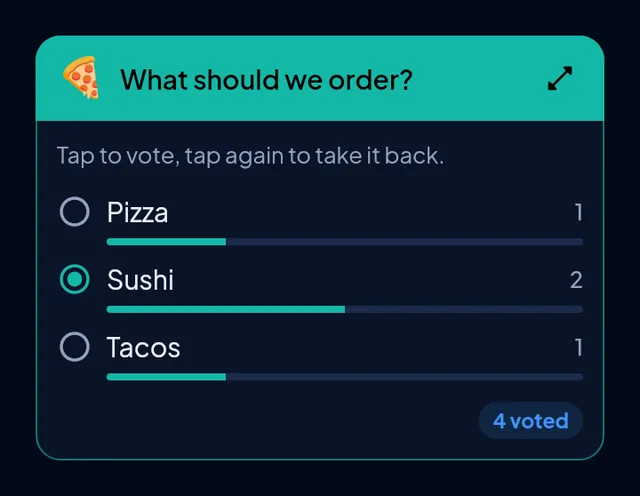
// Tap an option to vote for it, tap it again to take the vote back.
on.vote = (state, args, ctx) => {
if (state.votes[ctx.author] === args.index) delete state.votes[ctx.author];
else state.votes[ctx.author] = args.index;
};
function view(state, me) {
const counts = options.map(() => 0);
for (const id in state.votes) counts[state.votes[id]]++;
const mine = state.votes[me.id];
const total = Object.keys(state.votes).length;
return column([
text('Tap to vote, tap again to take it back.', { tone: 'muted', size: 'small' }),
choice('food', options, 'vote', { selected: mine === undefined ? [] : mine, counts }),
row([badge(total + ' voted', { tone: 'accent' })], { align: 'end' }),
]);
}Styles
Developers| Key | Values | Used by |
|---|---|---|
tone | 'accent', 'success', 'warning', 'danger', 'muted' | Text colour. Buttons: accent and success are filled, danger is red, muted is plain. Progress colour. Badges (muted is plain). |
size | 'small', 'large', 'huge' | Text, and labels of grid buttons. |
bold | true | Text. |
align | 'center', 'end'; rows also 'between' | Text, buttons, badges, uploads, rows and columns. A column stretches its parts unless aligned. |
selected | An index, or a list of indexes | choice: the filled marks. |
counts | A list of numbers, one per option | choice: a count and a bar for each option. |
The accent colour is the card's own accent. Colours follow the person's theme, light or dark.
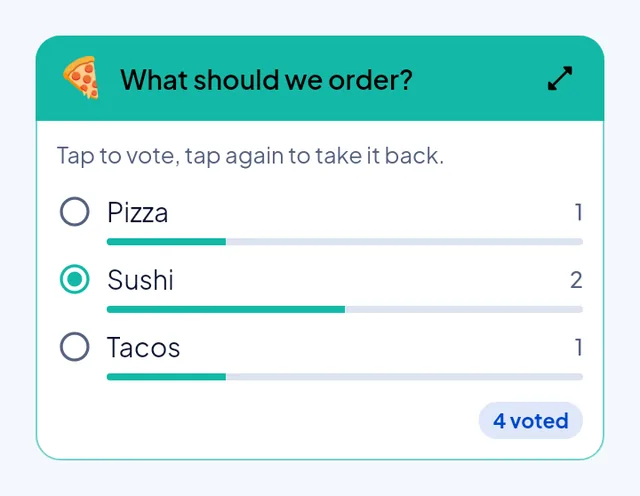
The same script draws with the person's theme. Don't pick colours by hand for text and buttons; use tones, and the card fits every theme.
Canvas and gestures
Developerscanvas({ shapes, onTap, onDragStart, onDragEnd, axis, ratio, fill, id }) draws shapes in a box. Every position and size is a fraction of the box, from 0 to 1, so a card doesn't care how big it is drawn.
shapes- A list of at most 200 shapes, drawn in order.
ratio- Width over height, 0.3 to 5. Default 1.6.
fill- The background: a tone (
'accent','success','warning','danger','muted'). Default: the theme's sunken surface. onTap- An action run on a tap, with
{ x, y, phase: 'tap' }. onDragStart- An action run once when a drag starts to move, with
{ x, y, sx, sy, phase: 'start' }: where the finger landed (sx,sy) and where it is now. onDragEnd- An action run once when a drag ends, with
{ x, y, sx, sy, dx, dy, phase: 'end' }: where the finger left, where it landed, and its fling speed as a fraction of the box per second.onDragis its older name. WithonDragStart, a drag something else takes still ends, withphase: 'cancel'. me.drag- While a drag moves, nothing is sent: the view gets
{ x, y, sx, sy, canvas }inme.dragon this phone only, and draws again as the finger moves, so what's held can follow it. A drag never floods the chat with events. id- Names the canvas in
me.drag.canvas, for a view with more than one. axis'x'or'y': the canvas takes drags one way only, and the chat still scrolls the other way. Without it, a drag that starts on the canvas is the card's.
| Shape | Style keys |
|---|---|
rect(x, y, w, h, style?) | fill, stroke, width, round (corner radius as a fraction of the shorter side). fill: { image: src } fills it with a picture. |
circle(x, y, r, style?) | fill, stroke, width. r is a fraction of the shorter side. Also takes fill: { image: src }. |
dot(x, y, r?, style?) | A small circle; r defaults to 0.03. |
line(x1, y1, x2, y2, style?) | stroke, width (0.5 to 40 pixels, default 2). |
label(x, y, text, style?) | Centred on x, y. fill (the colour), size (a fraction of the shorter side, default 0.09), bold. |
img(x, y, w, h, src, style?) | A picture covering the box. clip: 'circle' or round. |
Colours are a palette word, 'accent', 'fg', 'muted', 'good', 'warn', 'bad' or 'bg' (or 'text', 'success', 'warning', 'danger', 'surface'), or '#rrggbb'. A shape with neither fill nor stroke is filled with the accent. A canvas draws at most 16 different pictures.
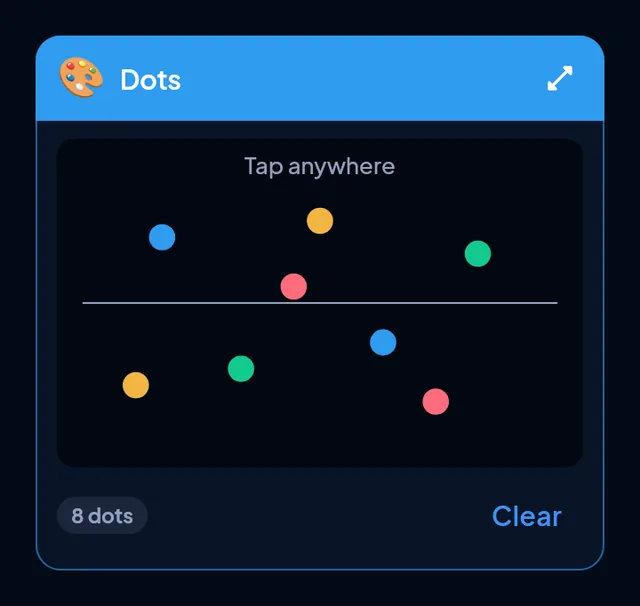
// Tap the canvas to drop a dot in your colour. Everyone sees every dot.
const colours = ['accent', 'success', 'warning', 'danger', '#a78bfa'];

function init() {
  return { dots: [], colour: {} };
}

on.drop = (state, args, ctx) => {
  if (state.colour[ctx.author] === undefined) {
    state.colour[ctx.author] = Object.keys(state.colour).length % colours.length;
  }
  state.dots.push({ x: args.x, y: args.y, c: state.colour[ctx.author] });
  if (state.dots.length > 150) state.dots.shift();
};

on.clear = (state) => {
  state.dots = [];
};

function view(state) {
  const shapes = [
    line(0.05, 0.5, 0.95, 0.5, { stroke: 'muted', width: 1 }),
    label(0.5, 0.08, 'Tap anywhere', { fill: 'muted', size: 0.07 }),
    ...state.dots.map((d) => circle(d.x, d.y, 0.04, { fill: colours[d.c] })),
  ];
  return column([
    canvas({ ratio: 1.6, onTap: 'drop', shapes }),
    row([badge(state.dots.length + ' dots'), button('Clear', 'clear', null, { tone: 'muted' })], { align: 'between' }),
  ]);
}
For motion, keep the state still and work out positions in the view from the time since the last event, with every(30) while it moves. Card Studio's Flick ball template does this: the drag sets a speed, and the view rolls the ball and bounces it off the walls.
Pictures
Developersimage(src), img(...) and fill: { image: src } take any of these as src:
- The id of one of the card's
imageblocks, or of an asset (as). These show straight away. - An
https://address. It loads only after the person lets the card reach that site; until then the card shows Picture from … with a Show button. 'avatar:who'or'cover:who', wherewhois an account id,'me','viewer'or'sender'.avatar(who)andcover(who)make these. Needs'pictures', and only people in the chat count.'chat:n'(0 is the newest picture in the chat) or'chat:messageId'.chatImage(n)makes these. Needs'chat_images'.
Each phone draws people's pictures from what it already holds. The card never gets their bytes. Where a picture isn't allowed or held, a plain stand-in shows. A picture part is as wide as the card and at most 260 pixels tall.
Files and the device
Developersupload(label, action, accept) is a button that asks the person for a file. accept is 'image' for pictures, or left out for any file. It needs 'files' in card().
- The app first runs
actionas this person with a stand-in file:{ message: 'pending', name: '', mime: 'image/jpeg' or '', size: 0 }. If the action would throw, the person sees why, and nothing is sent. - It asks every time, never remembering: "… asks for a file. The file you pick goes into this chat, where everyone in it can see it, and the card gets its name."
- The file is sent into the chat as an ordinary message.
- Then
actionruns withargs.file = { message, name, mime, size }.messageis the id of the message the file went in, sochatImage(args.file.message)shows a picture.
card({
  name: 'Photo board',
  permissions: ['pictures', 'chat_images', 'files'],
});

function init() {
  return { photos: [] };
}

// upload() sends the picked file into the chat first, then runs this
// with args.file = { message, name, mime, size }.
on.add = (state, args, ctx) => {
  if (!args.file.mime.startsWith('image/')) throw 'Pick a picture';
  if (state.photos.length >= 6) throw 'The board is full';
  state.photos.push({ by: ctx.author, name: ctx.authorName, message: args.file.message });
};

function view(state, me) {
  return column([
    row([avatar('sender'), text('Photo board', { size: 'large', bold: true })]),
    ...state.photos.map((p) => column([chatImage(p.message), text('From ' + p.name, { size: 'small', tone: 'muted' })])),
    state.photos.length === 0 ? text('No photos yet', { tone: 'muted' }) : null,
    upload('Add a photo', 'add', 'image'),
  ]);
}
Camera, voice notes, places and contacts
These parts are buttons. A tap by the person on this phone opens Isolink's own camera, scanner, recorder, place sheet or contact picker, with the card's name on it. Nothing else opens them: not an action, a timer, a replay or a bot. Nothing is sent until they press Send. Like upload, the app first runs the action with a stand-in, so a card that would turn it down sends nothing.
| Part | Needs | The action gets |
|---|---|---|
camera(label, action, { facing: 'front' }) | 'camera' | args.file = { message, name, mime, size }: the photo, sent to the chat. |
scan(label, action) | 'camera' | args.scan = { text, format }: a QR code or barcode, like qr or ean13. |
record(label, action) | 'microphone' | args.file = { message, name, mime, size, duration }: a voice note of up to 2 minutes, sent to the chat. |
place(label, action) | 'location' | args.place = { message, lat, lng, exact }: where they are, sent to the chat. Approximate (about 1 km) unless they pick Exact. |
contact(label, action) | 'contacts' | args.contact = { name, phone, email }: the one contact they picked, its first number and address. |
The card never gets a photo's or a voice note's bytes, only its message. chatImage(args.file.message) shows a photo and voice(args.file.message) plays a voice note. Everyone in the chat sees the photo, voice note or place as a message from whoever sent it, and whatever the action keeps in the state.
Phones have all of these. Computers have the camera (their webcam) and the microphone; Macs have places, and Windows when its location is on. Scanning works on phones and Macs, and contacts on phones. Where a part can't work, its button is greyed out.
card({ name: 'Spot the bird', permissions: ['camera', 'chat_images'] });

function init() {
  return { seen: {} };
}

on.snap = (state, args, ctx) => {
  if (state.seen[ctx.author]) throw 'One bird each';
  state.seen[ctx.author] = args.file.message;
};

function view(state, me) {
  return column([
    ...Object.values(state.seen).map((m) => chatImage(m)),
    state.seen[me.id] ? null : camera('Snap a bird', 'snap'),
  ]);
}
On this phone
These parts do one thing on the phone of whoever taps them, and send nothing:
| Part | Needs | What a tap does |
|---|---|---|
remind(label, at, words) | 'remind' | A reminder at at (ms), up to a year ahead, with the card's name and words (up to 120 characters). One a card: another tap moves it. |
calendar(label, { title, start, end, place, notes }) | The calendar's own add sheet. Times in ms. | |
copy(label, text) | Copies text, up to 2,000 characters. | |
share(label, text) | The system's share sheet with text. | |
link(label, url) | 'web:host' | Opens an https:// page on a site the card names. |
directions(label, to) | The maps app, with directions to { lat, lng } or a place's name. |
Tilt
With 'motion', me.tilt is how the phone is held: x from -1 (tipped left) to 1 (right), y from -1 (top away) to 1 (top towards you), 0 lying flat. It's on this phone only, never sent, and only while the card is on screen. Use every(30) to redraw as it moves. Like me.drag, send where things ended up with a tap.
Memory
With 'memory', ctx.remember(key, value) keeps a value on the devices of whoever tapped, for this card (by its id) in every chat: a best score, a setting. It's kept only when they tap: replays on other phones, and later replays on theirs, keep nothing. me.memory reads it in a view; actions can't, so every phone still reaches the same state. Keys are 1 to 40 characters, all of it at most 4 KB as JSON, and null forgets a key.
card({ name: 'Reaction time', permissions: ['memory'] });

on.done = (state, args, ctx) => {
  state.last = args.ms;
  ctx.remember('best', Math.min(args.ms, args.best ?? args.ms));
};

function view(state, me) {
  const best = me.memory.best;
  return column([
    text(best ? 'Your best: ' + best + ' ms' : 'No best yet'),
    button('I did it in 240 ms', 'done', { ms: 240, best }),
  ]);
}
Screens
Developersview() is the card's main screen. Other screens open on top of it, like a form step or a detail: give each a function on the global screens, taking the same arguments as view.
- Open screens are a stack. Three actions are built in:
pushwith{ screen }opens one on top,popcloses the top one, andgowith{ screen }replaces the whole stack (no screen, or'main', goes back to the main screen). Use them from buttons:button('Back', 'pop'). A script's ownon.push,on.poporon.goreplaces the built-in one. - In an action,
ctx.push(screen),ctx.pop()andctx.go(screen)do the same for whoever tapped. - By default one stack is shared by everyone, in
state.stack. Withnav: { each: true }, each person has their own instate.stacks[id], and a last argument picks who moves:ctx.go('done', id)for one person,ctx.go('done', 'all')for everyone. nav: { who: 'sender' }lets only the card's sender (and bots grantedcard.screens) move a shared stack. The default is'anyone'.- At most 16 screens are open at once. Screens need the state to be an object.
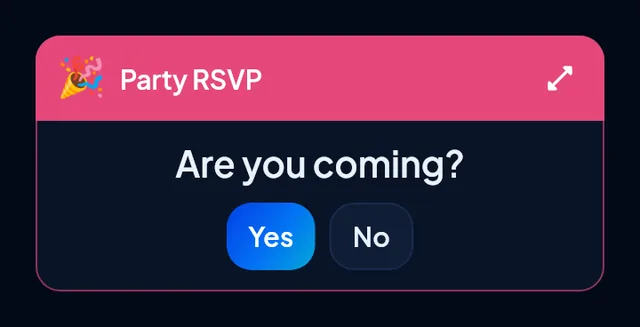
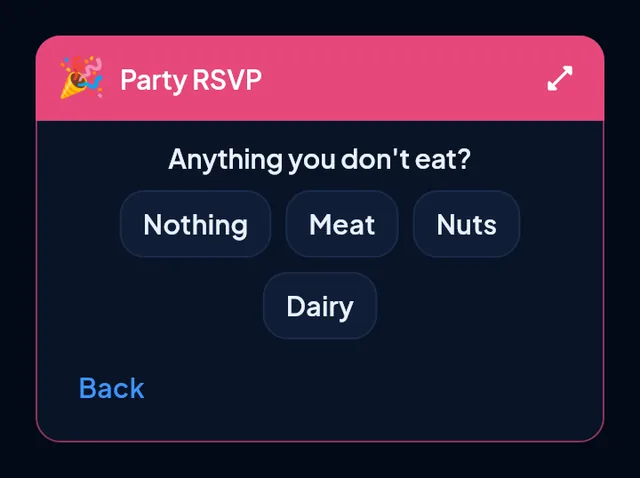
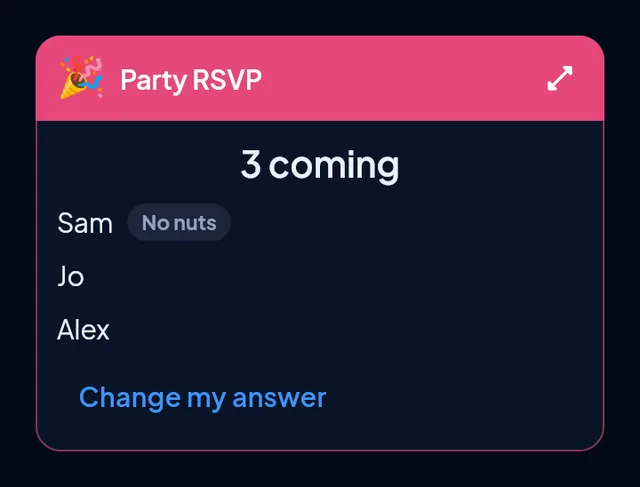
card({
  name: 'Party RSVP',
  // Each person opens and closes screens on their own.
  nav: { each: true },
});

// Opens over the main screen when someone says yes.
screens.food = (state, me) => column([
  text("Anything you don't eat?", { bold: true, align: 'center' }),
  row(['Nothing', 'Meat', 'Nuts', 'Dairy'].map((f) => button(f, 'food', { food: f })), { align: 'center' }),
  button('Back', 'pop', null, { tone: 'muted' }),
]);

function init() {
  return { answers: {} };
}

on.answer = (state, args, ctx) => {
  state.answers[ctx.author] = { name: ctx.authorName, coming: args.coming, food: '' };
  if (args.coming) ctx.push('food');
};

on.food = (state, args, ctx) => {
  if (!state.answers[ctx.author]) throw "Say if you're coming first";
  state.answers[ctx.author].food = args.food;
  ctx.pop();
};

on.change = (state, args, ctx) => {
  delete state.answers[ctx.author];
};

// The main screen: the question until you answer, then who's coming.
function view(state, me) {
  if (!state.answers[me.id]) {
    return column([
      text('Are you coming?', { size: 'large', bold: true, align: 'center' }),
      row([button('Yes', 'answer', { coming: true }, { tone: 'accent' }), button('No', 'answer', { coming: false })], { align: 'center' }),
    ]);
  }
  const coming = Object.values(state.answers).filter((a) => a.coming);
  return column([
    text(coming.length + ' coming', { size: 'large', bold: true, align: 'center' }),
    ...coming.map((a) => row([text(a.name), a.food && a.food !== 'Nothing' ? badge('No ' + a.food.toLowerCase()) : null])),
    button('Change my answer', 'change', null, { tone: 'muted' }),
  ]);
}
Timers, pause and resume
Developersevery(ms) draws the card again every ms milliseconds, from 30 ms to an hour, for clocks, countdowns and motion. It never sends anything: state only changes when someone taps. Call it at the top level or in a view (a view can call it only while something moves). setInterval(f, ms) does the same; f is never called.
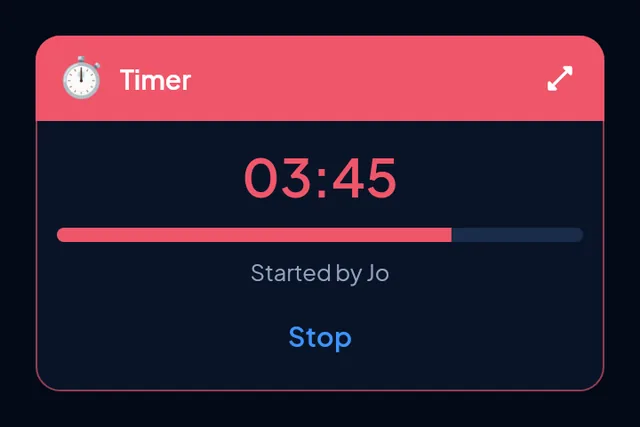
now with a time in the state.// One timer for the whole chat. Anyone can start or stop it.
// Draw the card again every second. This never sends anything.
every(1000);
const lengths = [1, 5, 10];
function init() {
return { ends: null, length: 0, by: '' };
}
on.start = (s, args, ctx) => {
if (!lengths.includes(args.minutes)) throw 'Pick one of the times';
s.length = args.minutes * 60000;
s.ends = ctx.time + s.length;
s.by = ctx.authorName;
};
on.stop = (s) => {
s.ends = null;
};
function starts() {
return row(lengths.map((m) => button(m + ' min', 'start', { minutes: m }, { tone: 'accent' })), { align: 'center' });
}
function view(s, me, now) {
if (s.ends === null) return column([text('Pick a time to start', { tone: 'muted', align: 'center' }), starts()]);
const left = Math.max(0, s.ends - now);
const secs = Math.ceil(left / 1000);
const pad = (n) => String(n).padStart(2, '0');
return column([
left === 0
? text("Time's up!", { size: 'large', bold: true, align: 'center', tone: 'success' })
: text(pad(Math.floor(secs / 60)) + ':' + pad(secs % 60), { size: 'huge', bold: true, align: 'center', tone: 'accent' }),
progress(left / s.length),
text('Started by ' + s.by, { size: 'small', tone: 'muted', align: 'center' }),
left === 0 ? starts() : button('Stop', 'stop', null, { tone: 'muted', align: 'center' }),
]);
}A deadline needs a tap after it: state changes only on actions, so a card with an end time offers a button such as Crown the winner that checks ctx.time.
pause, resume and local
function pause(local, ctx) runs on one phone when the card leaves the screen there: full screen closed, or the app sent to the background. function resume(local, ctx) runs when it comes back. A paused card shows faded with Paused · tap to go on, and stops redrawing. A card without pause never pauses.
localis an object this phone keeps for the card, never sent, at most 16 KB. Change it in place, or return a new one.viewgets it as its fourth argument.pausemay callctx.act(action, args)once, to send one action as it pauses, like a tap (to forfeit a timed round, say).
Lanes and matches
DevelopersWith mode: 'lanes', each player has a lane of their own in state.lanes[id]. In an action, ctx.lane is the tapper's lane (made empty the first time) and ctx.laneOf(id) reads anyone's. An action may change only its own player's lane; changing another is turned down, unless a bot holds card.lanes.write. A view sees its person's lane as me.lane.
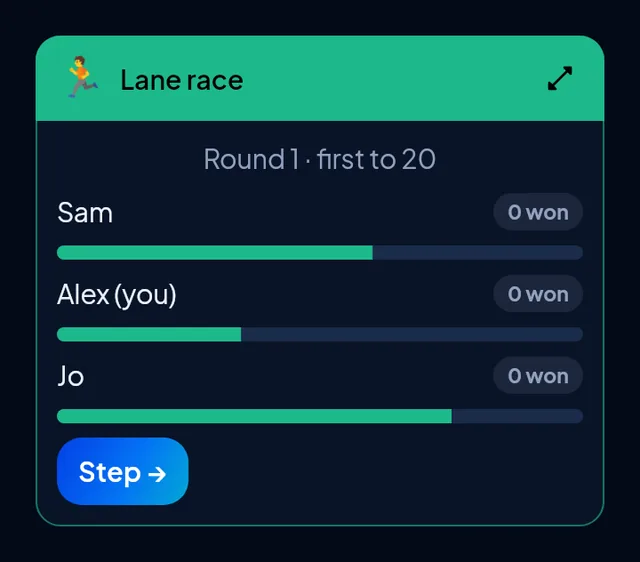
With match: { bestOf: n }, ctx.endRound(winner) ends a round and keeps the tally in state.match: { round, wins: { id: n }, winner }. winner is set once someone has won more than half the rounds; after that endRound throws The match is over. When a bot slot holds card.rounds, only that bot can end rounds.
card({
  name: 'Lane race',
  mode: 'lanes',
  players: { min: 2, max: 6 },
  match: { bestOf: 3 },
  permissions: ['keyboard', 'sound'],
  keys: { ArrowRight: 'step', Space: 'step' },
});

const finish = 20;

function init() {
  return { lanes: {} };
}

on.step = (state, args, ctx) => {
  if (state.match && state.match.winner) throw 'The match is over';
  const round = state.match ? state.match.round : 1;
  // A new round starts everyone at the start line.
  if (ctx.lane.round !== round) {
    ctx.lane.round = round;
    ctx.lane.pos = 0;
  }
  ctx.lane.name = ctx.authorName;
  ctx.lane.pos += 1;
  if (ctx.lane.pos >= finish) {
    ctx.sound('win');
    ctx.endRound(ctx.author);
  }
};

function view(state, me) {
  const round = state.match ? state.match.round : 1;
  const wins = state.match ? state.match.wins : {};
  const rows = Object.keys(state.lanes).map((id) => {
    const lane = state.lanes[id];
    const pos = lane.round === round ? lane.pos : 0;
    return column([
      row([text(lane.name + (id === me.id ? ' (you)' : '')), badge((wins[id] || 0) + ' won')], { align: 'between' }),
      progress(pos / finish),
    ]);
  });
  if (state.match && state.match.winner) {
    rows.push(text(state.lanes[state.match.winner].name + ' wins the match!', { bold: true, align: 'center' }));
  }
  return column([
    text('Round ' + round + ' · first to ' + finish, { tone: 'muted', align: 'center' }),
    ...rows,
    button('Step →', 'step', null, { tone: 'accent' }),
  ]);
}
Sounds, buzzes and keys
Developersctx.sound(name, { volume, for }) plays a sound, at most 4 per action. It needs 'sound' in permissions. volume is 0 to 1 (default 1); for is an account id to play it for one person only. The built-in sounds are tap, tick, pop, coin, buzz, win, lose, and the notes c4 to b4, c5 to b5 and c6; names listed in card({ sounds }) also work. A sound plays once, where the event arrives live, never when old events are replayed. It plays only while the card is on screen, the person allowed sound, chat sounds are on, and the chat isn't muted or in quiet hours.
ctx.buzz(kind, { for }) buzzes the phone: 'tap' (the default), 'light', 'heavy', 'success' or 'error', at most 4 per action, with no permission needed. Like a sound, it's felt once, where the event arrives live, while the card is on screen.
keys maps keys to actions, in full screen only. A key is a single small letter or digit, the ranges 'a-z' and '0-9', or one of ArrowLeft, ArrowRight, ArrowUp, ArrowDown, Space, Enter, Backspace. Esc, Tab and anything held with Ctrl, Cmd or Alt never reach a card. It needs 'keyboard' in permissions.
Bot slots
DevelopersA slot in bots is a seat for a community bot, with what it may do. When someone sends the card, they choose which of the chat's community bots sits in each slot; the card then carries params.bots = { slot: account }. A slot's name is only a label: its grants are what count. People see each slot and its grants before the card runs.
| Grant | What the bot may do |
|---|---|
card.read | Hear the card's events and see its state. |
card.peek | Read the card's state when it needs to, and hear nothing. |
card.act | Use the card's actions as itself. |
card.lanes.read | See every player's lane, not just the rest of the state. |
card.lanes.write | Change any player's lane. |
card.private | Get the card's private actions, which reach no one else. |
card.secrets | Keep things off the phones, such as a secret word, on its community's server. |
card.rounds | End rounds and declare winners. When a slot holds it, nobody else can. |
card.background_execute | Act with nobody tapping: timers, deadlines, the next round. |
card.hint | Show one player words inside the card (ctx.hint). |
card.moderate | Remove a player (ctx.removePlayer). |
card.screens | Move the card between its screens without card.act. |
A slot can also ask for a model level with model: 'low', 'medium', 'high' or 'xhigh'. The bot plays that card on the level's model, so a quick game can run on a fast model while the bot's other chats keep their own. Each community's owner sets what the levels mean; a level they haven't set uses the bot's own model.
Keep the game's rules in the card's own code, where every phone runs them the same way. Give a bot the fewest grants that does its job: card.peek to look when someone asks how it's going, card.read to hear every move. This card sends each guess privately to a judge bot, which keeps the word on its community's server and answers with its own action:
card({
  name: 'Secret word',
  // A bot in the judge slot hears guesses privately and keeps the word on its relay.
  bots: { judge: { grants: ['card.read', 'card.act', 'card.private', 'card.secrets', 'card.hint'] } },
  private: { guess: 'judge' },
});

function init() {
  return { solved: null, tries: 0 };
}

// Only the judge bot runs this: it checks a guess against its secret word.
on.verdict = (state, args, ctx) => {
  if (ctx.slot !== 'judge') throw 'Only the judge decides';
  state.tries += 1;
  if (args.right) state.solved = args.name;
  else ctx.hint(args.player, 'Not ' + args.word + '. Try again.');
};

function view(state, me) {
  if (state.solved) return text(state.solved + ' found the word!', { size: 'large', bold: true, tone: 'success' });
  const hint = state.hints && state.hints[me.id];
  return column([
    text('Guess the secret word', { bold: true }),
    hint ? text(hint, { tone: 'warning' }) : null,
    input('word', 'Your guess', 'guess'),
    text(state.tries + ' guesses so far', { size: 'small', tone: 'muted' }),
  ]);
}
Web requests
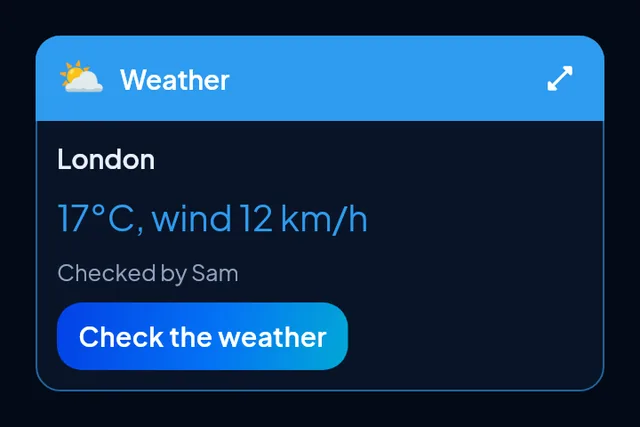
Developersctx.fetch(url, { method, headers, body }) reaches a web site from an action. It answers straight away, with no await, and never throws:
{ ok, status, text, json, error }ok is true for a 2xx status with no error; json is the parsed body, or null.
- The person who tapped is asked first: Let this card talk to {site}? with Allow once, Always for this card and Don't allow. Their answer is kept for this card and this script, so changed code asks again.
- Only the tapper's phone goes to the web. What came back travels inside the event, and every other phone replays it without fetching.
- A card with a manifest reaches only the sites it names as
'web:host'(and their subdomains). - Only
https://, with no user name or password, at most 2,000 characters.methodis'GET'(default) or'POST'. A GET has no body. headers: at most 16; values at most 1,024 characters, no line breaks.cookie,cookie2,host,content-length,connection,keep-alive,transfer-encoding,upgrade,origin,referer,te,trailer,via,expectand anyproxy-*orsec-*are not allowed.body: a string, or an object sent as JSON; at most 16,384 characters.- At most 3 requests per tap. An answer is at most 256 KB of text, and so is everything one tap fetches. Each request has 10 seconds. No cookies are sent and redirects are not followed.
erroris one ofdeclined,offline,timeout,too big,failed,too many requests,no answer, or a reason the request was refused, likeonly https:// addresses work.
card({
name: 'Weather',
permissions: ['web:api.open-meteo.com'],
});
const place = { name: 'London', lat: 51.5, lon: -0.1 };
function init() {
return { status: 'empty' };
}
on.refresh = (state, args, ctx) => {
// Answers straight away: no await. The person who taps is asked first.
const r = ctx.fetch('https://api.open-meteo.com/v1/forecast?latitude=' + place.lat +
'&longitude=' + place.lon + '¤t=temperature_2m,wind_speed_10m');
state.by = ctx.authorName;
if (!r.ok || !r.json || !r.json.current) {
state.status = 'error';
state.error = r.error || ('HTTP ' + r.status);
return;
}
state.status = 'ok';
state.temp = r.json.current.temperature_2m;
state.wind = r.json.current.wind_speed_10m;
};
function view(state) {
return column([
text(place.name, { bold: true }),
state.status === 'ok'
? text(Math.round(state.temp) + '°C, wind ' + Math.round(state.wind) + ' km/h', { size: 'large', tone: 'accent' })
: state.status === 'error'
? text("Couldn't get the weather: " + state.error, { tone: 'danger' })
: text('Tap to check the weather', { tone: 'muted' }),
state.by ? text('Checked by ' + state.by, { size: 'small', tone: 'muted' }) : null,
button('Check the weather', 'refresh', null, { tone: 'accent' }),
]);
}ctx.bot: community actions
ctx.bot(name, args) asks the community bot that sent the card to run one of its community actions with its own keys, and answers in the same shape as ctx.fetch. The device never sees the address or the keys. It needs 'bot:name' in permissions, works only in a one-to-one chat with that bot, takes args of at most 4 KB, and gives up after 20 seconds.
The language
DevelopersCard scripts are a subset of JavaScript, run on QuickJS, the engine built into the app, so they behave the same on every platform.
Supported: let, const and var (all block-scoped; declaring a name twice in one scope is an error); function declarations and expressions, arrow functions, default and rest parameters; destructuring with defaults and ...rest; spread in arrays, objects and calls; template strings; object shorthand, methods (inc(n) { ... }) and computed keys; if/else, for, for...of (arrays and strings), for...in (object keys; array indexes as strings), while, do...while, break, continue, switch; try/catch/finally and throw; ?., ??, ? :, typeof, void, delete, in, ++, --; arithmetic, comparison, bitwise and logical operators, and every compound assignment from += to ??=. Numbers may be written 0x, 0b, 0o, 1e3 or 1_000. Comments are // and /* */. A missing ; is fine at a line break.
Not supported: classes, this, async, await, yield and promises, import and export, with, instanceof, regular expressions, tagged templates, labels, getters and setters, Map, Set, Symbol, and Date objects (only Date.now()). new works only with Error, TypeError, RangeError and Array.
Values leave a script as JSON: undefined and functions are left out of objects (and become null in arrays), and NaN and Infinity become null.
Built-ins
Developers- Globals
undefined,NaN,Infinity,isNaN,isFinite,parseInt(s, radix?),parseFloat,String,Number,Boolean,console.log(up to 50 lines of 500 characters, shown in Card Studio).MathPI,E,abs,floor,ceil,round,trunc,sign,sqrt,cbrt,sin,cos,tan,asin,acos,atan,atan2,log,log2,log10,exp,pow,hypot,min,max,random.JSONstringify(value, _, space?),parse.Objectkeys,values,entries,assign,fromEntries,freeze(does nothing).ArrayArray(n),Array(...items),isArray,of,from(arrayOrStringOr{length}, mapFn?).NumberisInteger,isFinite,isNaN,MAX_SAFE_INTEGER,MIN_SAFE_INTEGER.- Errors
Error,TypeError,RangeErrormake{ name, message }.Date.now()- The tap's time in actions,
nowin a view. - Arrays
length,push,pop,shift,unshift,slice,splice,concat,join,indexOf,lastIndexOf,includes,map,filter,reduce,reduceRight,forEach,find,findIndex,findLast,findLastIndex,some,every,sort(stable; as strings by default),reverse,flat,flatMap,fill,at,toString.- Strings
length,charAt,charCodeAt,indexOf,lastIndexOf,includes,startsWith,endsWith,slice,substring,toUpperCase,toLowerCase,trim,trimStart,trimEnd,split(separator, limit?),replaceandreplaceAll(a string to find; the replacement may be a function),repeat,padStart,padEnd,at,concat,localeCompare(plain order: -1, 0 or 1),toString.- Numbers
toFixed(digits),toString(radix?).
Limits
Developers| What | Limit |
|---|---|
| Script | 49,152 characters |
init and each action | 100,000 steps, 2 seconds |
Each view, pause and resume | 25,000 steps, 500 ms |
| Calls inside each other | 150 |
| A string | 524,288 characters |
| An array | 50,000 items |
| State | 64 KB as JSON |
local | 16 KB as JSON |
A tap's args | 4 KB as JSON |
| One event, with what it fetched | 300 KB |
| Events a card keeps | 1,000 (later ones are dropped) |
| Parts in a view | 400, nested 12 deep |
| Canvas | 200 shapes, 16 pictures |
| Redraw interval | 30 ms to 1 hour |
| Web requests | 3 a tap, 10 seconds each, 256 KB an answer and a tap |
| Sounds | 4 an action |
| Buzzes | 4 an action |
| Memory | 4 KB a card, keys of 40 characters |
| Reminders | 1 waiting a card, up to a year ahead, 120 characters |
| Copy, share | 2,000 characters |
| Open screens | 16 |
card() | Name 60 characters; 20 permissions; 40 keys; 24 sounds; 1 to 16 players; best of 1 to 99; 4 bot slots |
A memory budget also counts the items, keys and characters a run makes; a run that goes past any limit stops with a message saying which.
Errors and checks
Developers- Errors read
Line N: message, such as Line 4: Can't read score of undefined or This script ran too long: more than 100000 steps. Look for a loop that never ends. - If the script doesn't parse, or the view fails, the card shows This card hit a problem with the line and message.
- If an action throws or passes a limit on the tapper's phone, they see the message (That tap was turned down: … in Card Studio) and nothing is sent.
catch (e)gets what was thrown. Built-in errors are{ name, message }, such as aTypeErrorfor reading a property ofundefined.
Before a scripted card is sent from a bot or saved in Card Studio, the app runs it as it would in a chat: init, the view for two people, every screen, then each button's action once with the view after it. It reports parts it can't show, buttons whose action doesn't exist, pictures or uploads without their permission, and a view that shows nothing. An action that throws in this check is fine; one that passes a limit is not. In Dart this check is cardScriptProblem(card), and Card Studio adds cardStudioProblems(source) on top.
Card Studio's editor also formats code (two-space indents, semicolons) and warns about == (use ===) and var (use let or const). It offers to add a missing permission when you use avatar(), chatImage(), upload() or ctx.sound.
More examples
DevelopersTic-tac-toe
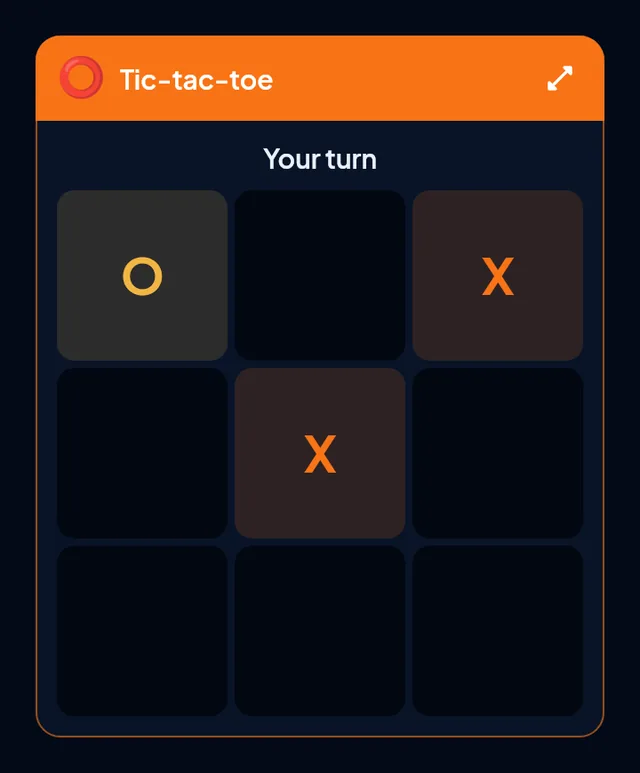
// Two players. The first to tap is X, the next person is O.
const lines = [[0, 1, 2], [3, 4, 5], [6, 7, 8], [0, 3, 6], [1, 4, 7], [2, 5, 8], [0, 4, 8], [2, 4, 6]];

function init() {
  return { board: Array(9).fill(''), x: null, o: null, names: {}, turn: 'x', winner: null };
}

on.play = (s, args, ctx) => {
  if (s.winner) throw 'The game is over';
  if (!s.x) s.x = ctx.author;
  else if (!s.o && ctx.author !== s.x) s.o = ctx.author;
  const mark = ctx.author === s.x ? 'x' : ctx.author === s.o ? 'o' : null;
  if (!mark) throw 'Two people are already playing';
  if (mark !== s.turn) throw 'Not your turn';
  if (s.board[args.cell]) throw 'That square is taken';
  s.names[ctx.author] = ctx.authorName;
  s.board[args.cell] = mark;
  for (const [a, b, c] of lines) {
    if (s.board[a] && s.board[a] === s.board[b] && s.board[b] === s.board[c]) s.winner = ctx.author;
  }
  if (!s.winner && s.board.every((m) => m)) s.winner = 'draw';
  s.turn = mark === 'x' ? 'o' : 'x';
};

on.reset = () => init();

function view(s, me) {
  const next = s.turn === 'x' ? s.x : s.o;
  let status;
  if (s.winner === 'draw') status = "It's a draw";
  else if (s.winner) status = s.winner === me.id ? 'You won!' : s.names[s.winner] + ' won';
  else if (!s.x) status = 'Tap a square to start';
  else if (next === me.id || (!next && me.id !== s.x)) status = 'Your turn';
  else status = 'Waiting for ' + (s.names[next] || 'the other player');
  const marks = { x: 'X', o: 'O', '': '' };
  return column([
    text(status, { bold: true, align: 'center', tone: s.winner === me.id ? 'success' : undefined }),
    grid(3, s.board.map((m, i) => button(marks[m], 'play', { cell: i }, { tone: m === 'x' ? 'accent' : m === 'o' ? 'warning' : undefined }))),
    s.winner ? button('New game', 'reset', null, { tone: 'accent', align: 'center' }) : null,
  ]);
}